How to save recipes from Instagram
Found something you want to cook? Save the post, keep the recipe details, and give it a home you can find again when it’s time to eat.
The quick answer: use Instagram’s Save option to bookmark a recipe post or Reel. For a recipe you actually plan to cook, also keep the original link, ingredients, and instructions together in a note or recipe organizer.
Save the post in Instagram
- Open the recipe post or Reel. Check the caption for the full recipe or a link to the creator’s website.
- Choose Save. Look for the bookmark icon or the Save option in the post’s menu. The location can vary between posts, Reels, and app versions.
- Add it to a collection. Use a name you’ll remember, like “Weeknight dinners” or “Desserts to try.” Keep the categories simple enough that choosing one takes a second.
- Find it again in Saved. Open your Instagram profile menu and look for Saved, then choose your recipe collection.
Instagram collections organize saved posts. They don’t turn a video into a written ingredient list or a cooking plan. See Instagram’s help on saving posts for its current instructions.
Keep enough detail to actually cook it
Before the post disappears into your saved folder, make a short recipe note. Use the creator’s written recipe when one is available, and keep their name and original link with it.
Recipe: name of the dish
Source: creator’s name and original link
Ingredients: quantities, grouped by part of the dish
Method: key steps, temperatures, and timings
After cooking: what worked and what you’d change
For example, separate a taco recipe into filling, sauce, and toppings. You can see what to shop for without hunting through the caption. Keep exact temperatures and timings when you shorten the instructions.
If the caption leaves out an amount or a step, check the linked recipe or ask the creator. A saved link or an automatic import cannot reliably fill in details the source never provided.
A preview of saving Instagram recipes to Tasti
Tasti is in early access. The iPhone preview below shows how you can bring a supported Instagram recipe into your own collection without retyping the link.
- Open Instagram’s share menu. Tap the paper airplane on the recipe, then choose “Share to…” to open your phone’s share sheet.
- Choose Tasti. With the early-access app installed, open Tasti from the share sheet. You may need to look under More in the app row.
- Choose where to keep it. Select a list or create one, then save. Review the recipe details before cooking, especially quantities and anything missing from the source.
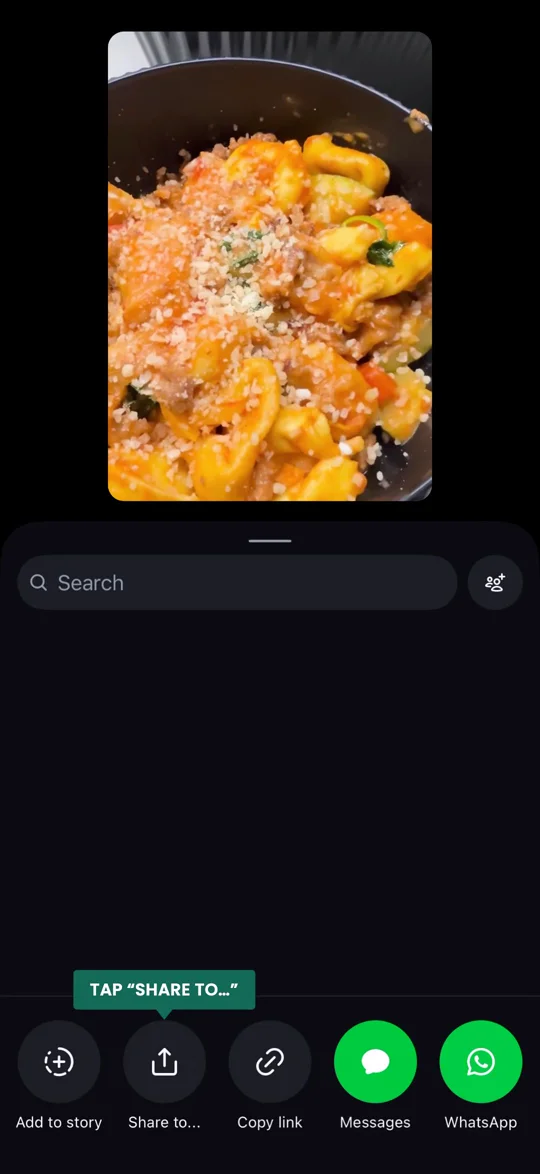
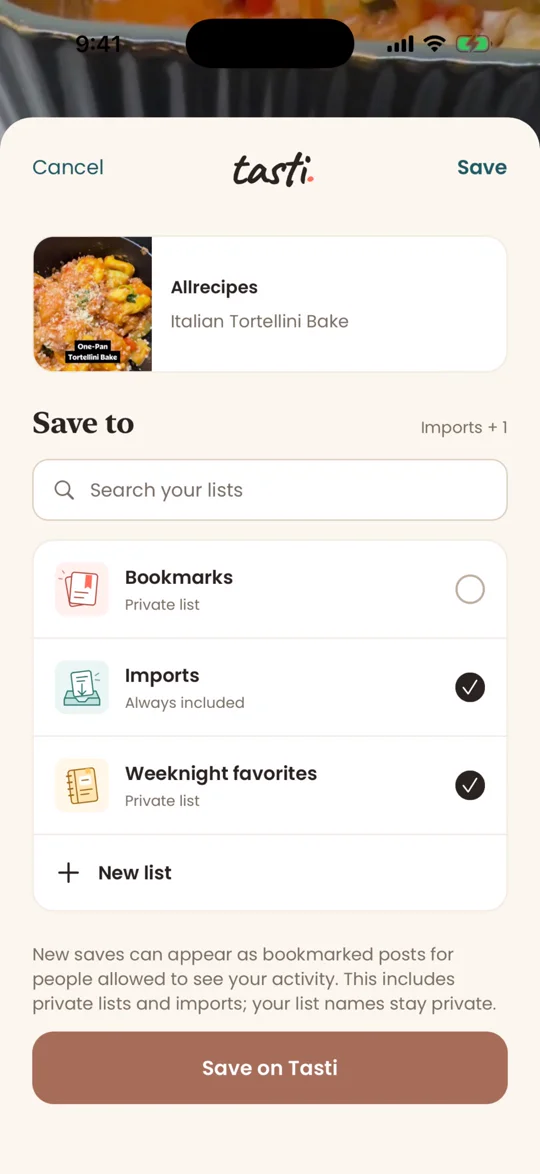
Import results depend on what the source makes available. Keep the original recipe link so you can return to the creator’s instructions. After trying it, add your own rating and cooking notes so your collection reflects what you’d make again.
Common questions
Do I need a recipe app to save Instagram recipes?
No. Instagram Saved works for bookmarking, and a notes app can hold a link and your cooking notes. A recipe organizer is useful when you want recipes from different places together with lists, ingredients, and your own history.
Does saving a Reel give me a written recipe?
Saving the Reel bookmarks the post. Look in the caption or at the creator’s linked website for written ingredients and instructions. If those details aren’t there, don’t assume an importer can reconstruct them accurately from the video.
How should I organize recipes I’ve already cooked?
Keep “want to cook” separate from “made and loved.” Add a quick note after cooking, even if it’s just “less lemon next time.” Our recipe journal guide includes a simple template for recording what worked.
Give your saved recipes a home.
Join the Tasti waitlist for early access. Save recipes, remember your favorites, and share what’s worth making with friends.
Join the waitlist